

PNR Status
#1 Platform to check PNR Status & Train Ticket booking

PNR Status of IRCTC Train Tickets
With our same train alternates and prediction feature, increase your chances of getting IRCTC train tickets and easily check and get instant updates of your PNR Status.

UPI Enabled Secured Payment
Payment on Confirmtkt is highly secured. Easy UPI and other multiple payment modes available.

Free Cancellation on IRCTC Tickets
Check PNR Status before cancelling your train ticket on ConfirmTkt. If you do not want to travel or if your ticket is on the waitlist, you can easily cancel your ticket and get a full refund(Free Cancellation Opted).

IRCTC Booking & PNR Enquiry Support
You can easily check your PNR Status on ConfirmTkt App or website. For any further assistance, please feel free to reach out to us on our 24X7 customer support; for any IRCTC train enquiry & booking-related queries, call 08068243910.

IRCTC Instant Refund & Cancellation
Get an instant refund and book your next IRCTC ticket easily.

Live Train Status Tracking
Before boarding your train, please do not forget to check your final PNR status after the chart preparation. You are only allowed to travel with a Confirm Ticket. After you board your train, you can easily track the live status of your train using our ConfirmTkt App or Website.
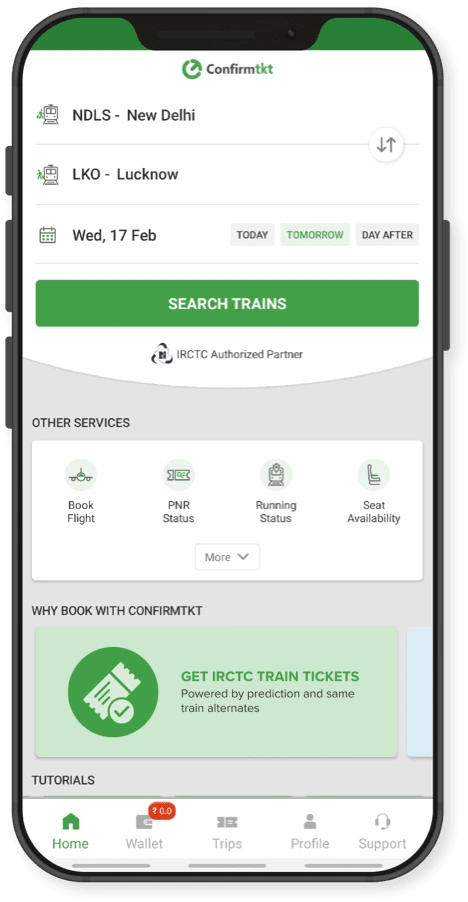



What are the Top Features of Confirmtkt PNR Status?
- Instant and Live update of your IRCTC train tickets
- PNR Status with seat, coach position and platform number.
- PNR Prediction of your ticket and confirmation chances.
- PNR Status with passenger names and journey details
- PNR chart prepared information and last-moment updates directly delivered to your Mobile App (Install ConfirmTkt APP)
Check PNR status and waitlist PNR prediction of IRCTC
PNR Status of IRCTC Train tickets can be checked on ConfirmTkt using your PNR number. Enter your 10 digit PNR number and click Check PNR Status button. At the time of booking your ticket might be on the waiting list which means your ticket has been booked but you have not been assigned any seat or berth. Waiting list tickets may get confirmed on future before the train departs, it depends on how many confirmed tickets are cancelled or additional coach has been added. You can track your current status of waiting list train tickets using your 10 digit PNR number, mentioned on your ticket using Confirmtkt website.
Additionally, you can check the chances of getting your waiting list tickets getting confirmed using Confirmtkt PNR Status prediction. Confirmtkt is one of the highest rated app in India to check PNR Status (more than 1 crore downloads)

Alternatively, you can easily check your live PNR status with ixigo for a smooth travel experience.
Check NowWhat is PNR?
PNR is short name for 'Passenger Name Record'. It is a record in the database of Indian Railways against which the journey details for a passenger, or a group of passengers are stored. Centre for Railway Information Systems (CRIS) also maintains information like current PNR status of the passengers, availability of berths in all classes for the next 60 days and static enquiries like Train Between Important Stations, Reservations Rules, Fares, Refund, and Rules etc When a reserved railway ticket is booked for a train in Indian Railways, all the details of passengers are stored in relational database of centralized reservation system. These details are associated with a unique ten digit number. This reference number is called PNR. PNR number is generally printed at the top left corner of the printed tickets. In case of the E – Ticket, it is mentioned at top in separate cell. Passenger's personal information like name, age, gender etc. is saved in the database against this reference number. It includes columns to store booking status and current status of the ticket. As we know every train has limited number of seats, sometime one may not get a confirmed reserved ticket. The current status of such a waitlist (W/L) ticket changes when there is any availability of reserved seats due to cancellation. This new current reservation status is generally known as PNR status.
About Confirmtkt PNR Prediction
Confirmtkt PNR Prediction i.e. CONFIRMTKT STATUS will help you predict the chances of getting confirmed tickets. Prediction is done computed using data analytics and machine learning techniques based on various factors like past booking and cancellation trends, station quotas, days of the week, seasonality, holidays etc. Generally waiting list PNR Status during peak seasons like Durga puja (Dussehra), Diwali, Chhath, Holi etc has very fewer chances to get confirmed. This is due to a large number of commuters travelling to their hometowns. Even during this peak months flights and bus ticket prices zoom up. Using ConfirmTkt PNR Status check your PNR current status and also know the chances of getting your PNR status confirmed. If your PNR status has confirmation chances low on ConfirmTkt status (Prediction), it is advisable to search for alternates. ConfirmTkt also has the alternate feature which helps you to find all possible optimal options to reach your destination.
PNR Status Confirmation of different waitlist tickets
- GNWL (General Waiting List) - Highest confirmation chances
- CKWL (Tatkal Waiting List) - GNWL tickets are preferred over Tatkal tickets hence CKWL Confirmation chances are low compared to GNWL
- RLWL (Remote Location Waiting List) - Less chances of confirmation
- PQWL (Pooled Quota Waiting List) - Less chances of confirmation, quota shared between several stations
- RLGN (Remote Location General Waiting List) - Less chances of confirmation, when user books ticket under RLWL
- RQWL (Request Waiting List) - Less chances of confirmation
- RSWL (Roadside Station Waiting List) - Less chances of confirmation
PNR is an abbreviation for 'Passenger Name Record'. As the term suggests, when you book a ticket, an entry is created in your name and a 10-digit unique id is allotted against your transaction. This is your 'PNR number'. This id is the key to figure a variety of information about your train reservation. For instance, PNR status tells you if booking is confirmed or you'll need to wait to get a seat if someone cancels their ticket. Apart from booking confirmation, you also get to know the details of the train coach and berth, the fare paid by you, and the departure and arrival date and timelines. What's more, you can check the PNR status using your smartphone too. Below explains how you could do the same. Using PNR Number to check ticket details: It's super easy to check your PNR Status. To check your reservation status, enter the PNR number in the search bar and the results of the search are mostly the following details:
Passenger and Ticket Details:
- Information about the passenger such as their Name, Age, Gender, and Berth Preference
- Information on what seating class or quota the ticket has been booked under
- Ticket status showing CNF, RAC, or WL (these terms have been explained in detail below)
- It mentions the coach and berth number
Payment and Train Details:
- Reveals how much you paid for the ticket including the transaction id and the mode of payment
- It also mentions the train number and name
- The last bit of information will be about your boarding date and time and when the train is going to get you to your destination
Modes of PNR enquiry and how does it work?
You must be wondering what's the mechanics behind a PNR enquiry; what are all the modes to enquire PNR and how does it work across channels. Well, here is all you need to know about it. In this era, you need not physically visit a railway station to make an enquiry to know the status of your ticket. You can very much do it using modern enquiry modes such as smartphone applications, web portals, via SMS, and final reservation charts of course. Now, the HOW part of it - when you buy a ticket using IRCTC portal or over the counter or via any third-party ticketing platform for that matter, a 10-digit number is generated. This number stores all the information about your train journey at CRIS (Centre Of Railway Information Systems), a database meant for storing passenger details. When you make an online PNR status enquiry, this number fetches the live PNR status from the database. You can reserve up to 6 seats in a single transaction and the online PNR status is going to show the reservation details of 6 of them. You may carry out another transaction to book tickets beyond six, if need be. An SMS service was launched initially by IRCTC to get live PNR status on your mobile. To avail this service all you have to do is, send a message to the service number in the following format: PNR space "Your PNR Number".
Understanding IRCTC PNR Status Abbreviations
The abbreviations found on a PNR number status page or on a ticket could read alien and you might wonder what do these terms mean? Here is help. Here's a list of some abbreviated terms, their meaning and full forms that they stand for:
- CNF – If you read this on your live PNR status, you've got a 'Confirmed' ticket
- RAC – 'Reservation Against Cancellation' meaning that you are likely to get reservation in case someone cancels to travel. You can board the train though
- WL – 'Waiting List' meaning that you're lined up to get a confirmed ticket only if one decides to cancel their booking. If the chart has been prepared and your IRCTC PNR status still says WL, you cannot board the train. There are other types of waiting lists as well including GNWL (General Waitlist), TQWL (Tatkal Waitlist), PQWL (Pooled Quota Waitlist), RLWL (Remote Location Waitlist), and NOSB (No Seat Berth)
- CAN – Ticket Cancelled.
PNR Status FAQs
Q. Where is my PNR shown on the ticket?
Q. What is the validity of a PNR number?
Q. Can I travel using only my PNR number?
Q. Why should I check my train PNR status before travelling?
Q. Does the PNR status check show personal information?
Q. Can I see the ticket fare details during the PNR enquiry?
Q. How can I check the PNR status of my train ticket?
Q. Are the PNR numbers allotted for unreserved and reserved tickets?
Q. What does CAN mean in PNR status?
Q. What does CNF stand for in PNR status?
Q. What does RAC mean in PNR status?
Q. What does RLGN stand for in PNR status?
Q. What does PQWL stand for in PNR status?
Q. How can I check my PNR status via SMS?
Q. Can PNR status change after the chart preparation?
Q. For how many days can I check my PNR status?
Enhance your train journey with ConfirmTkt
| Enjoy Meals on Train | Get delicious food delivered straight to your seat. Order food on train hassle-free. |
| Link Your Aadhaar | Get priority booking during the Advanced Reservation Period with IRCTC Aadhaar Link |
| Alternate Travel Plan | Get 3X Refund with Alternate Travel Plan , if your train seat remains waitlisted. |
Top Train Routes

Trains to Bengaluru
Trains to New Delhi
Trains to Goa
Trains to Hyderabad
Trains to Mumbai
Trains to Mysore
Trains to Chennai
Trains to Pune
Trains to Coimbatore


